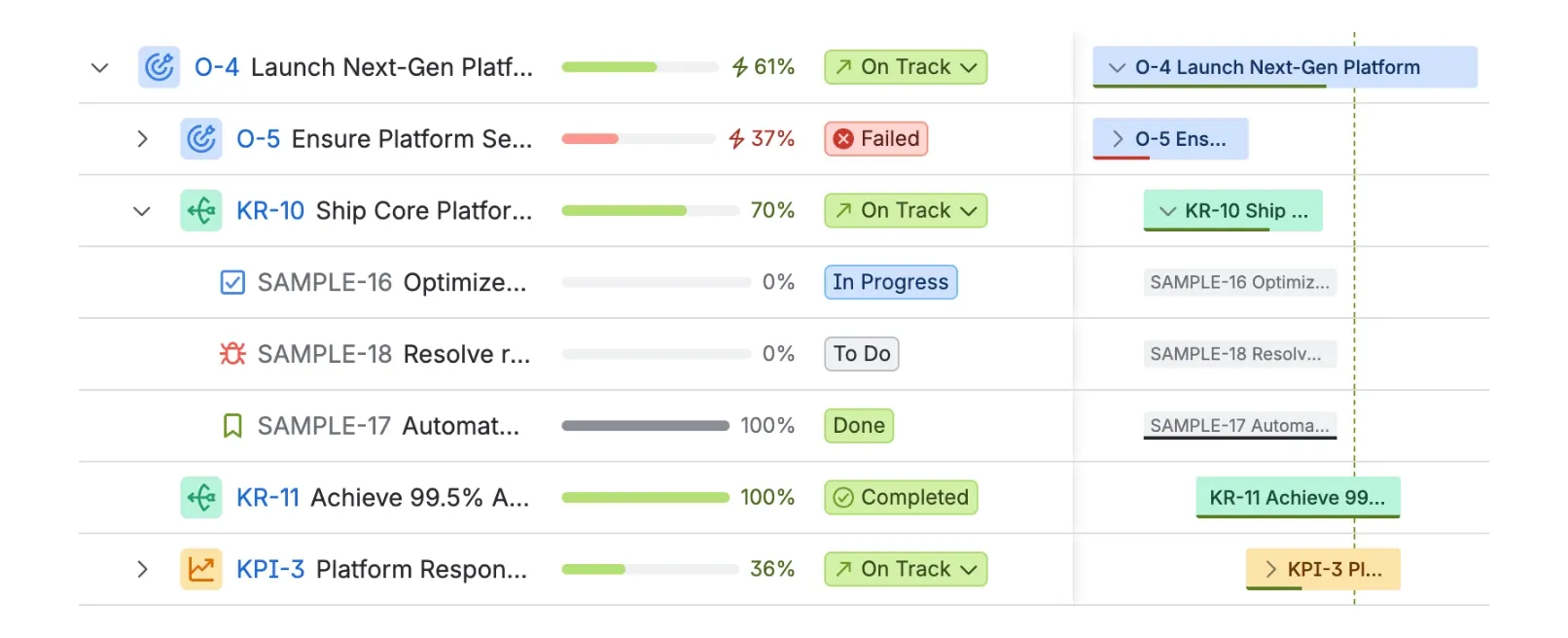
Linked to delivery
Strategy in context
Define objectives and initiatives and link them directly to the Jira issues, epics and projects that deliver them.
Connect company strategy to everyday delivery — then just ask how it's tracking, right inside Jira.
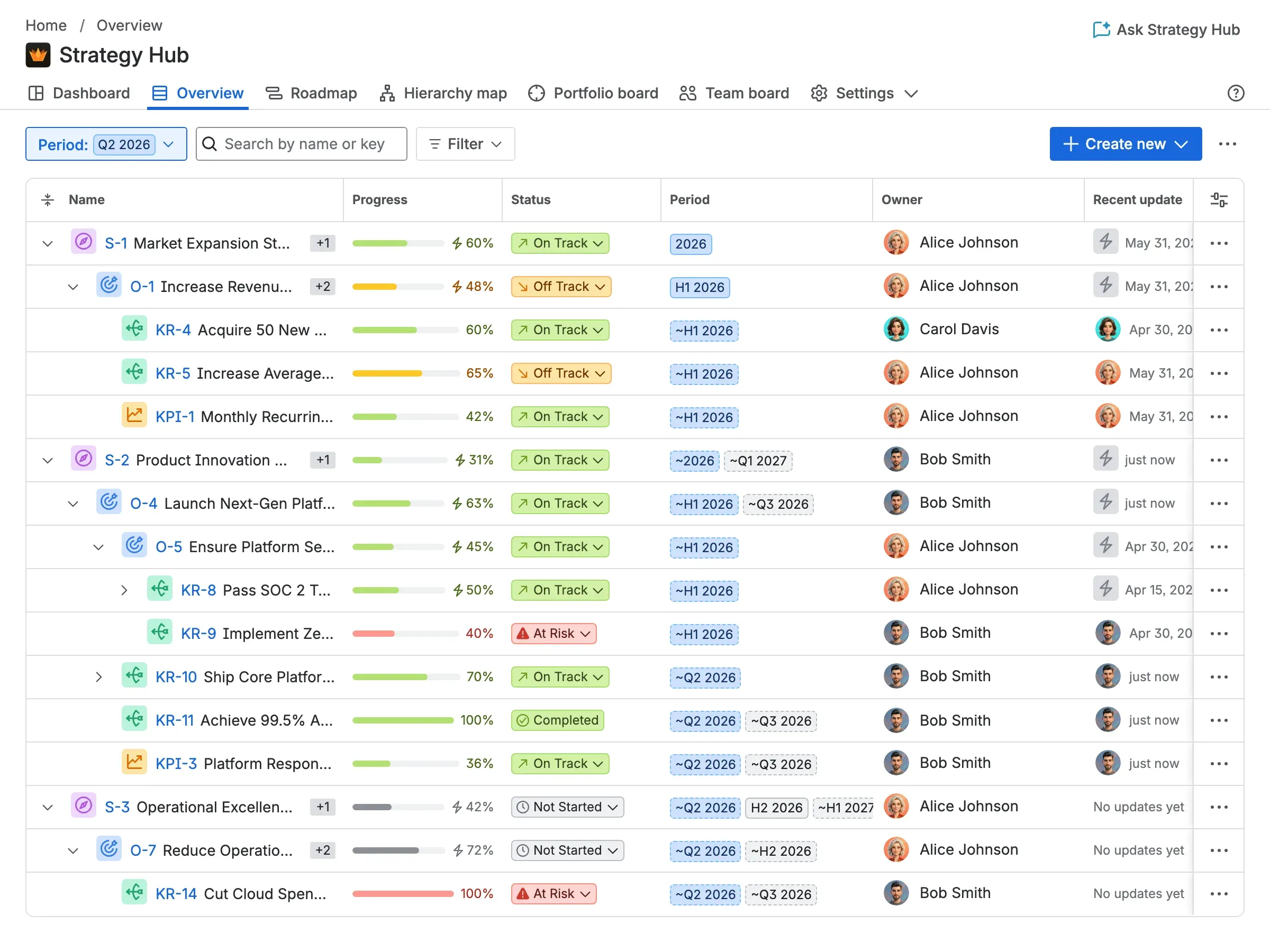
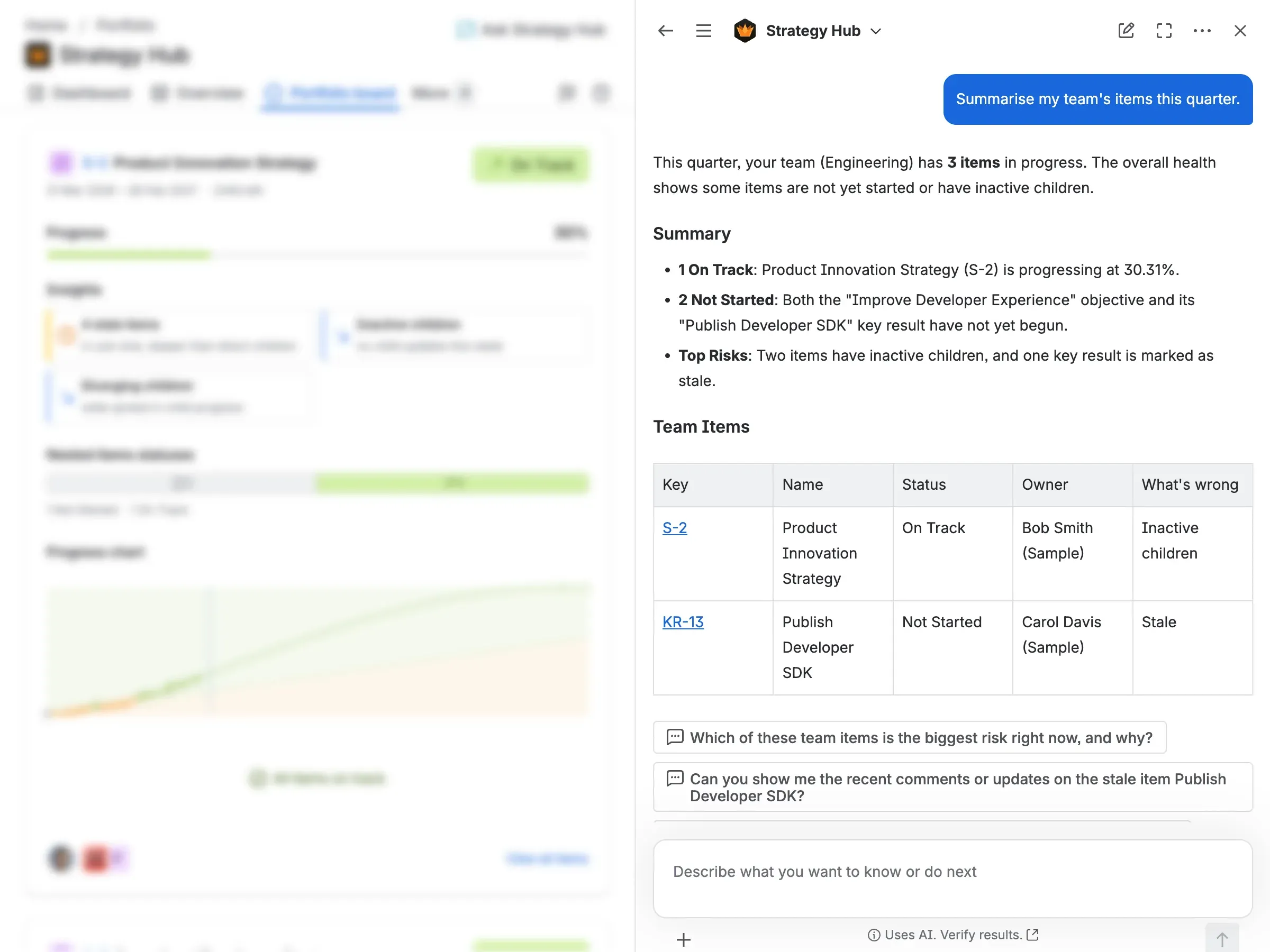
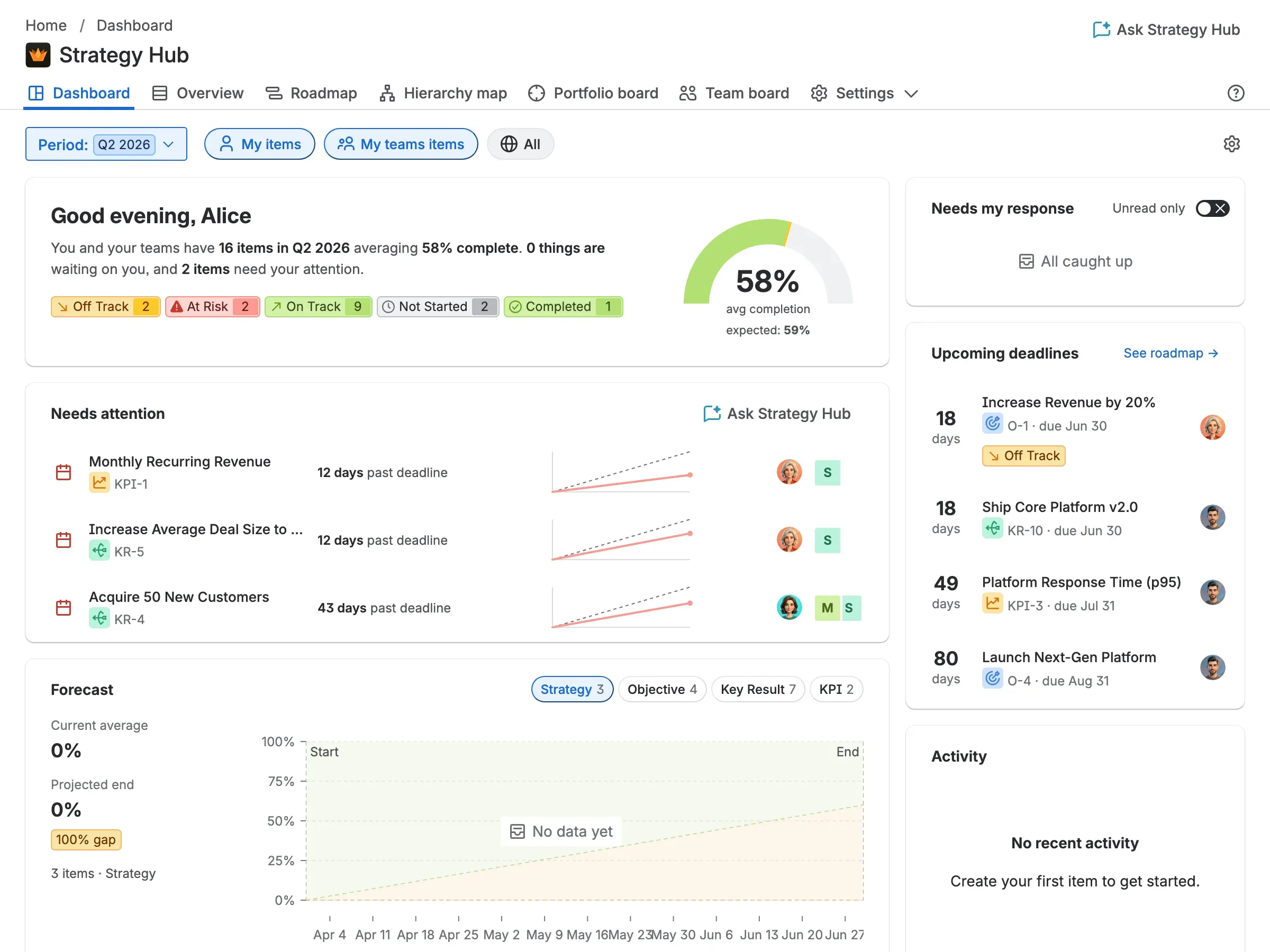
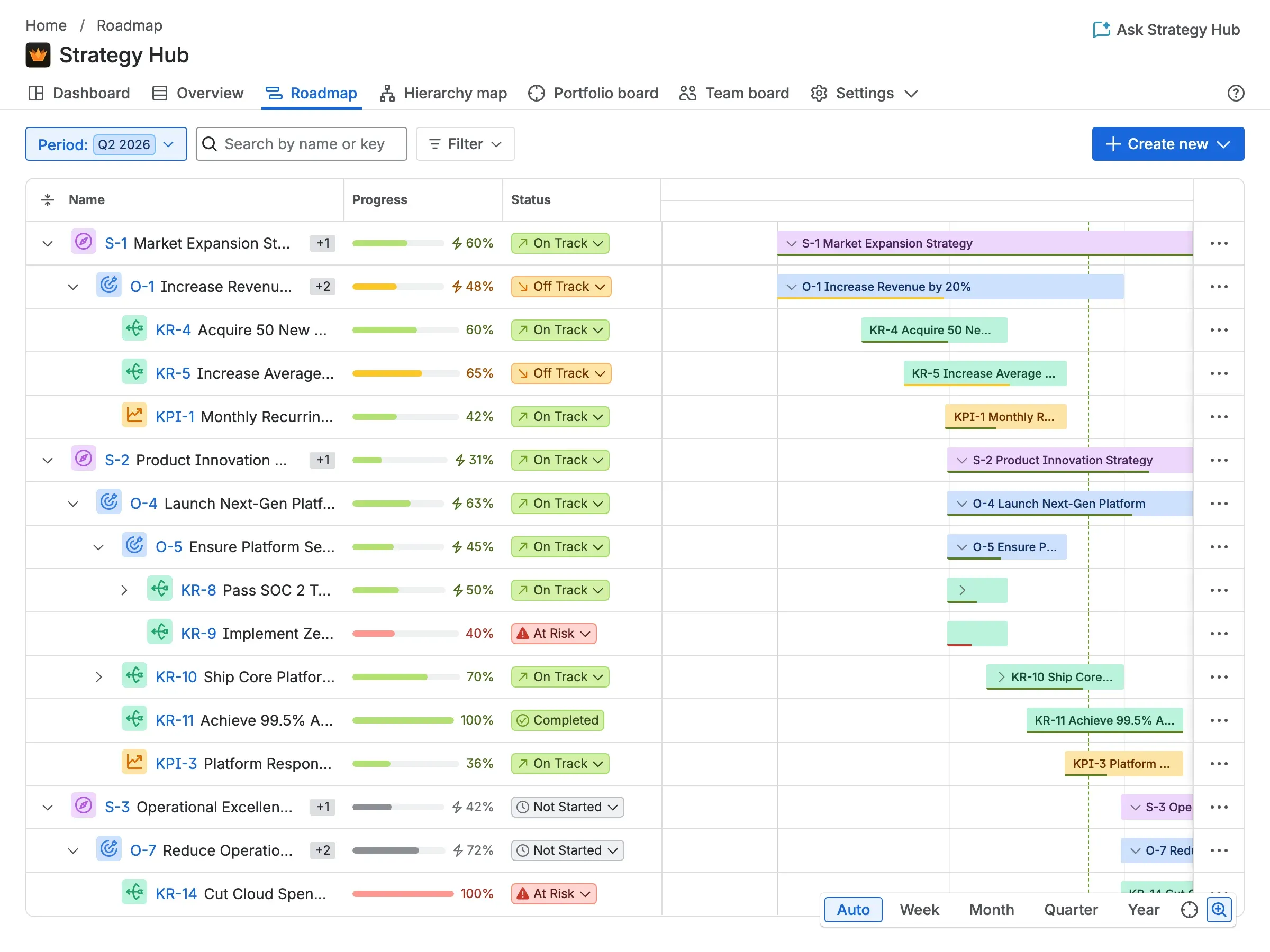
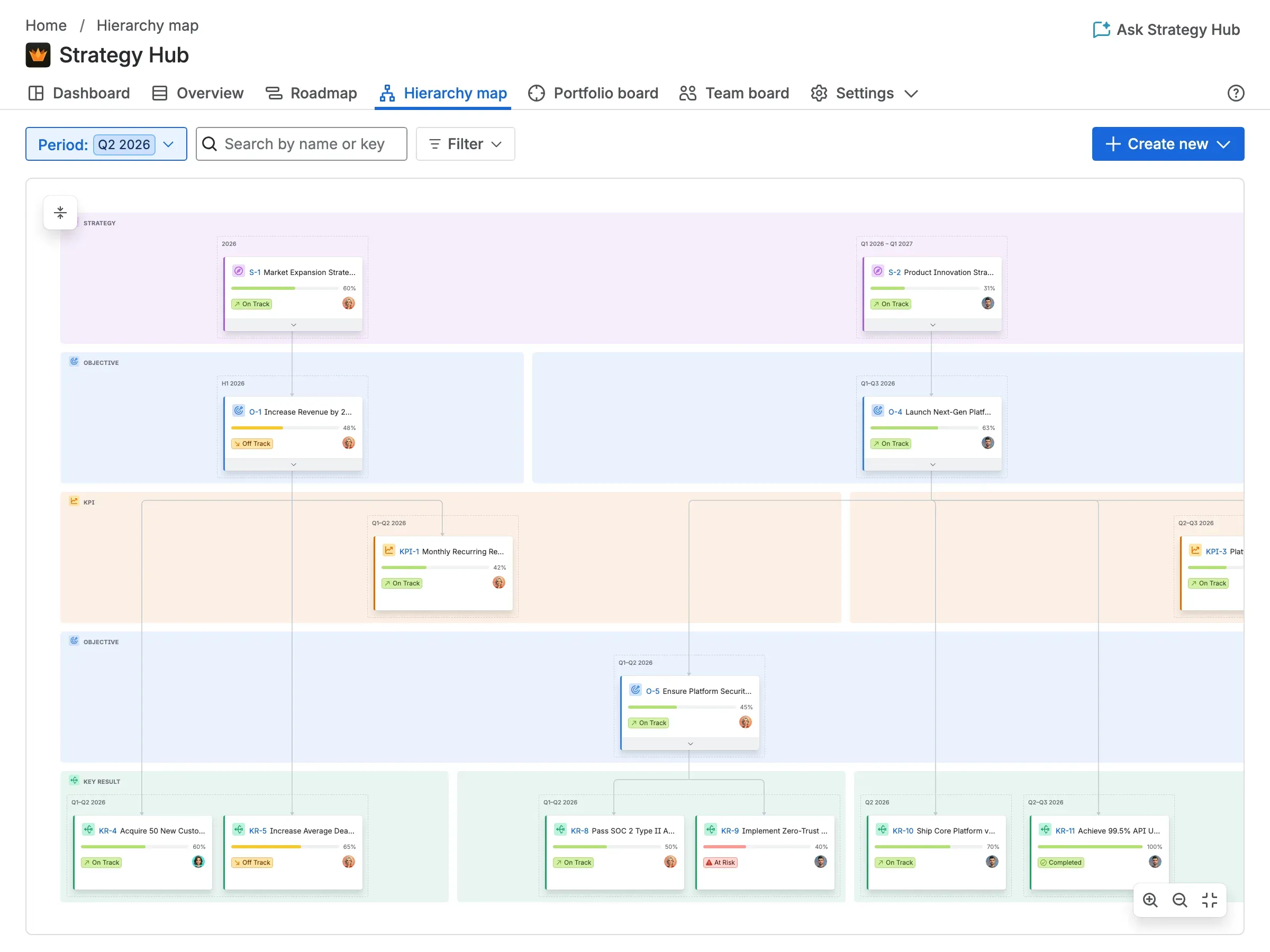
Keep strategy and delivery in one place — from the objectives you set to the Jira work that moves them forward.
Define objectives and initiatives and link them directly to the Jira issues, epics and projects that deliver them.
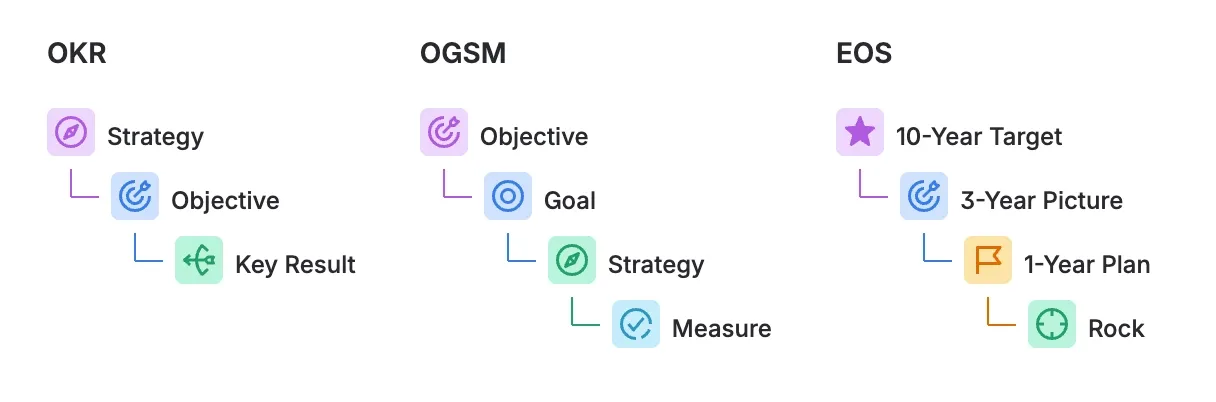
Pick a ready-made OKRs, OGSM, Hoshin Kanri, EOS, North Star or 4DX setup — or configure your own levels, names and statuses. Strategy Hub shapes itself to how your organisation already plans, instead of forcing one methodology on you.
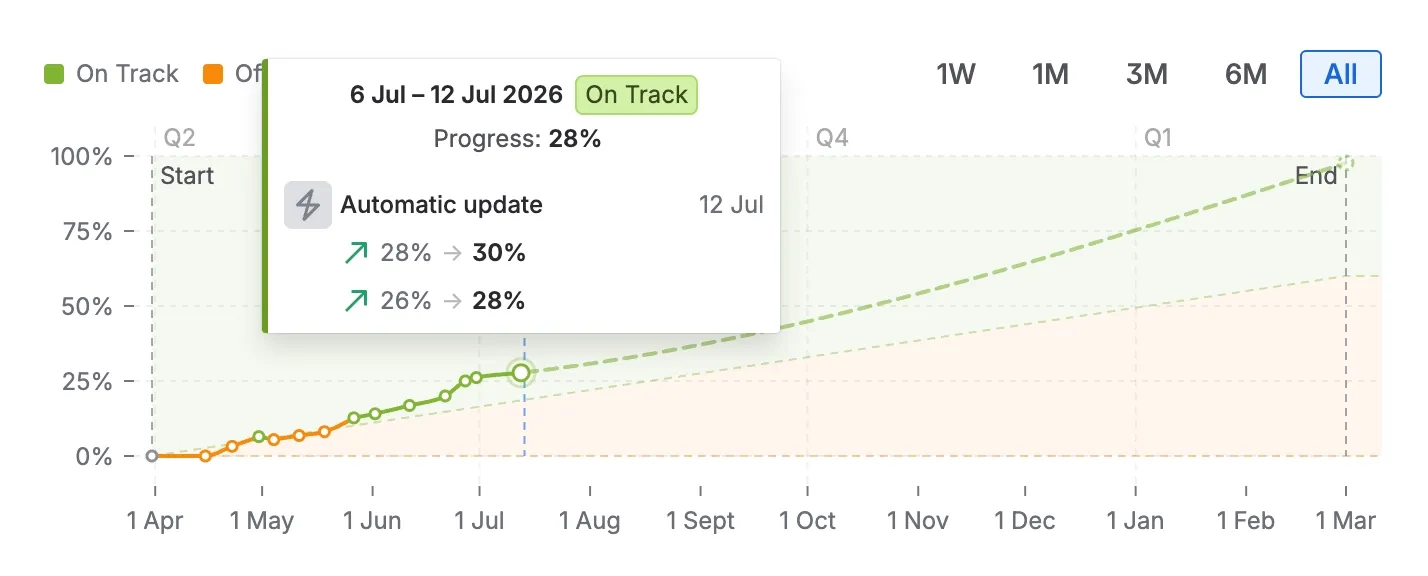
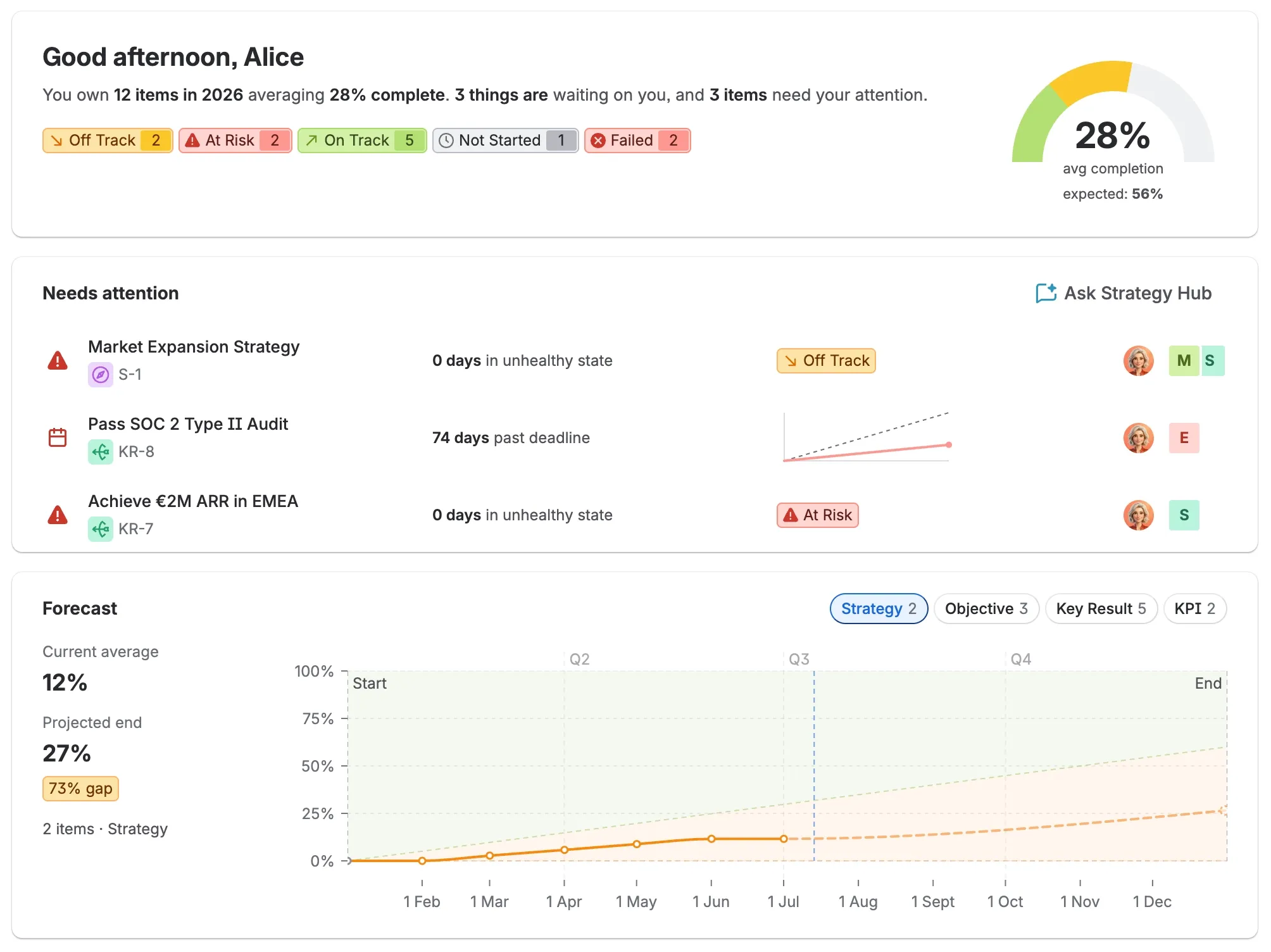
See real-time progress roll up from work items to initiatives to objectives — no spreadsheets, no manual status updates.
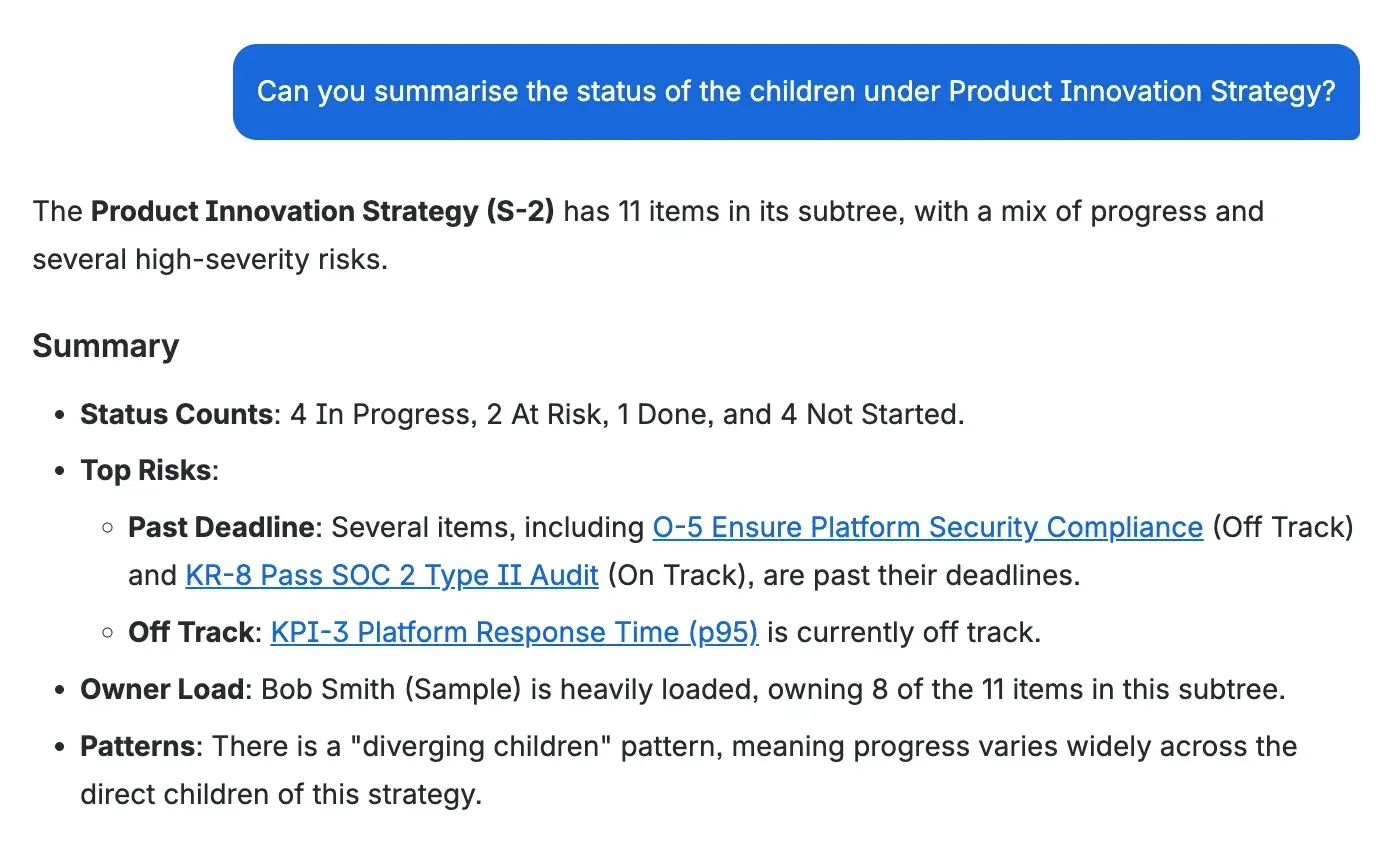
Ask Rovo — the AI built into Jira — how an objective is tracking or what's at risk, and get answers grounded in your real work items, with links straight back to them.
Whether you set the objectives, deliver the work, or watch the numbers, Strategy Hub keeps everyone working from the same picture.
Trace every objective down to the Jira work moving it forward — no chasing status updates across tools, no spreadsheets drifting out of date. Make decisions backed by what's actually happening in delivery.
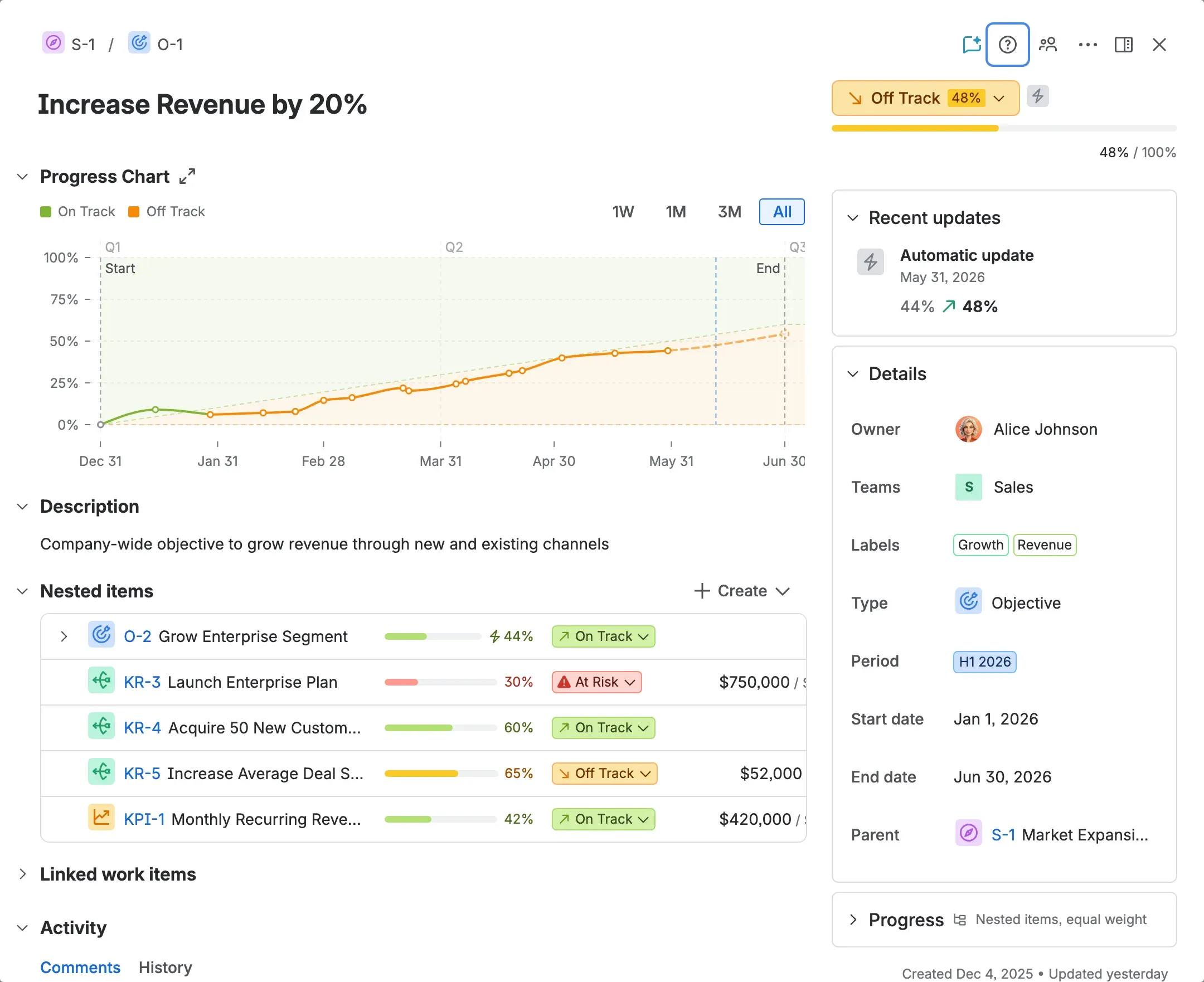
See how the issues you're working ladder up to initiatives and objectives — right inside Jira, alongside the projects, permissions and workflows your team already uses.
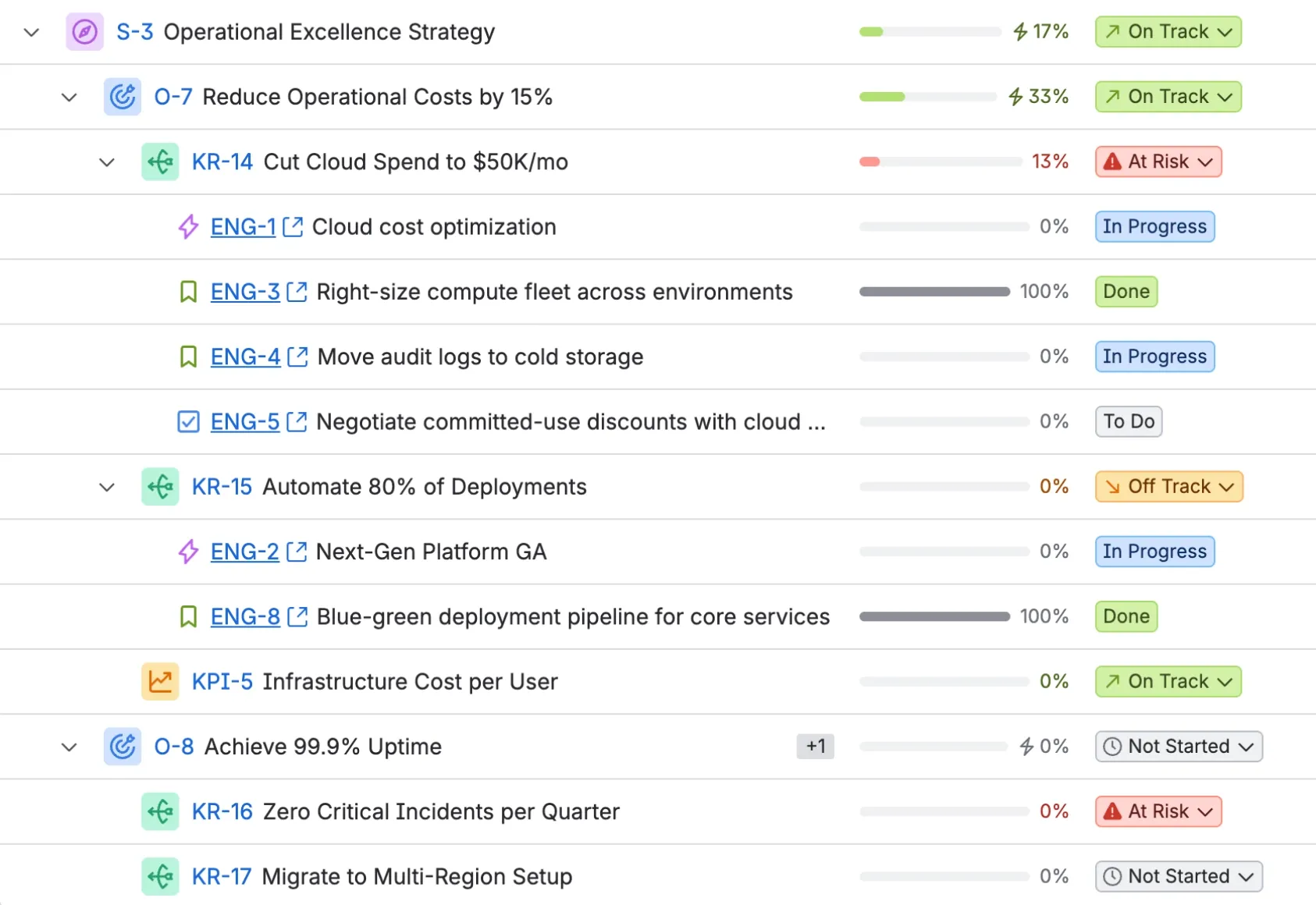
Track every initiative across teams as it moves — see what's on track, what's slipping and how it ladders up to the objectives, without stitching together updates from a dozen separate boards.
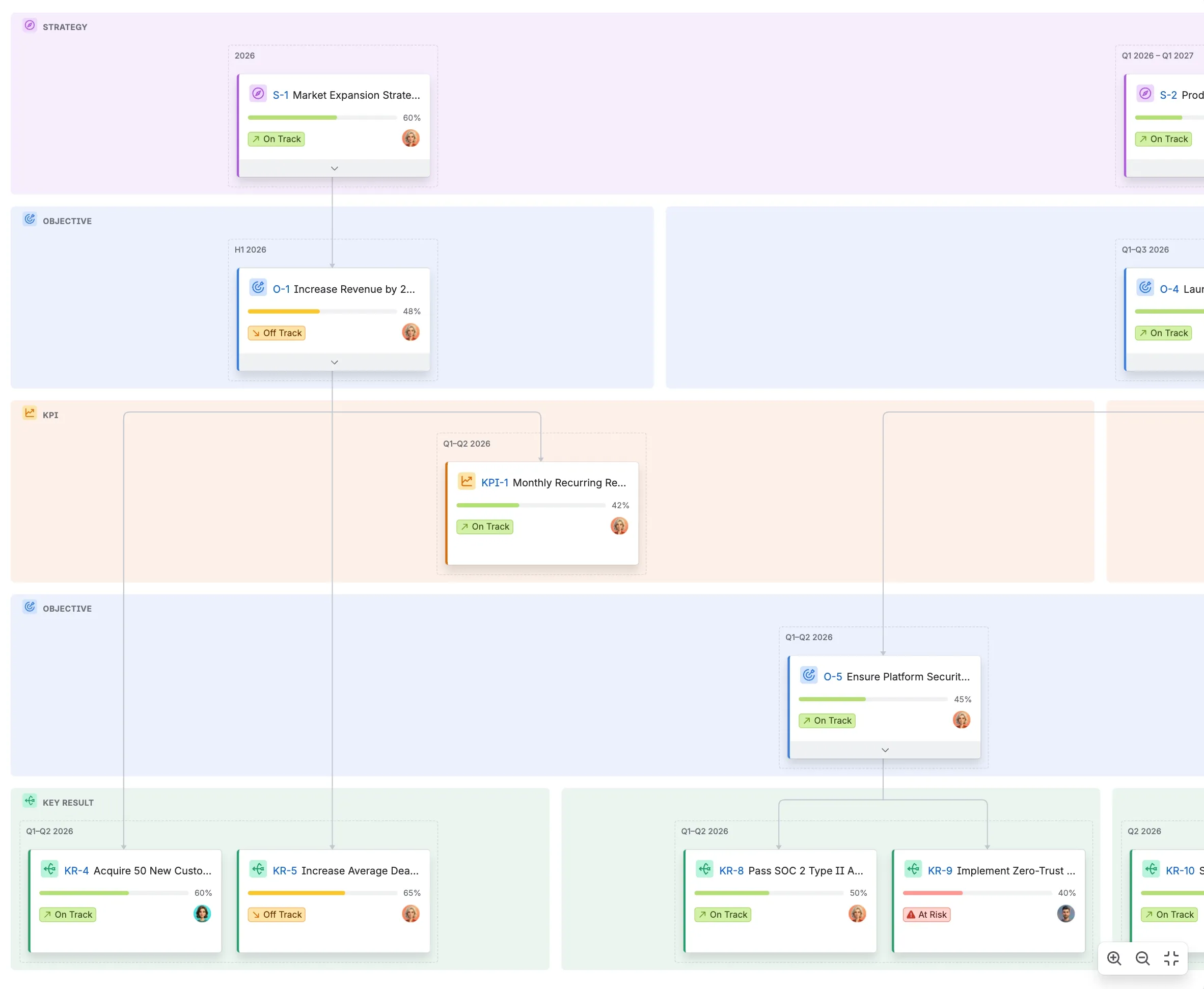
Get a live view of how delivery is moving objectives forward — rolled up automatically from the work itself, so the picture you see is never out of date.
Strategy Hub requires a Jira site. It installs from the Atlassian Marketplace and works within the projects, issues and permissions you already have — so strategy lives right next to the work.
RUNS ON ATLASSIANBuilt to keep strategy and delivery moving together — without the busywork.
Objectives, initiatives and the work delivering them live together in Jira — no separate strategy doc drifting out of date.
Rovo, the AI built into Jira, turns a question into an answer — how an objective is tracking, what needs attention, even a draft status update — grounded in your real work.
Progress rolls up from work items to initiatives to objectives automatically — no more hours lost to manual status reports.
From delivery teams to executives, everyone shares the same always-current view of how today's work moves strategy forward.
It runs inside Jira, respecting your existing projects, permissions and workflows — there's nothing new for your teams to learn.
Spot the initiatives slipping off track before they put a quarter's objectives at risk — straight from live delivery data.
Start from a ready-made OKRs, OGSM, Hoshin Kanri, EOS, North Star or 4DX setup — or build your own hierarchy from scratch.
Lay out your objectives, key results and KPIs — whatever your chosen framework calls them — right where your teams already work.
Connect each item to the Jira issues, epics and projects that move it forward, and watch progress roll up automatically.
A side-by-side look at what changes when you bring in Strategy Hub.
| Feature you need | The old way | With Strategy Hub |
|---|---|---|
| Where strategy lives | In a separate doc, away from the work | Right inside Jira, next to the work |
| Finding what needs attention | Dig through boards and dashboards yourself | Ask in plain language, grounded in your data |
| Status reporting | Assembled by hand each week | Rolls up automatically |
| Alignment | Every team works from its own copy | One always-current view, shared by all |
| Adoption | Yet another tool to learn | Inside the Jira teams already use |
| Planning framework | One rigid methodology, baked in | OKRs, OGSM, EOS, 4DX or a model you build yourself |
| Workflow fit | Forces new processes on your teams | Respects existing projects and permissions |
| Source of truth | Many copies of the plan, none current | One source of truth, always live |
Yes. Strategy Hub runs inside Jira and connects to your existing projects, issues and permissions — it requires a Jira site.
Strategy Hub installs from the Atlassian Marketplace, the source of truth for its pricing. The button at the top of this page links straight to the listing.
No. Strategy Hub layers strategy on top of the projects, issues and workflows you already have — it respects your current setup rather than replacing it.
Strategy Hub ships ready-made presets for OKRs, OGSM (Objectives, Goals, Strategies, Measures), Hoshin Kanri, EOS (the Entrepreneurial Operating System), the North Star framework and the 4 Disciplines of Execution (4DX). Pick one in a single click — then rename levels, add your own or reshape the hierarchy however your organisation plans. You're never locked into one methodology.
Product and delivery leaders, delivery teams, and executives or stakeholders all share the same view — each sees how day-to-day work ladders up to strategy.
Yes — through Atlassian Rovo, the AI built into Jira. Strategy Hub adds a "Strategy Hub (Jira)" agent you can ask in plain language — how an objective is tracking, what's at risk, or for a draft status update. Answers are grounded in your real work and stay within your existing permissions, so Rovo never surfaces anything you couldn't already see.
Install Strategy Hub from the Atlassian Marketplace — it lives inside your existing Jira projects, permissions and workflows.