
One Strategy, Four Views: What Every Role Actually Needs From OKRs in Jira
Welcome to another blog post where I unveil questions that I often hear from Strategy Hub users. This time it’s about various roles and levels
A flat table of goals, the same view for everyone, is a surprisingly common design in goal-tracking tools — and it fails almost everyone using it.
A CEO scrolling through team-level detail to find the one number they care about, and an engineer wading through strategic-pillar language to find their one Key Result, are both being served the wrong thing by the same screen.
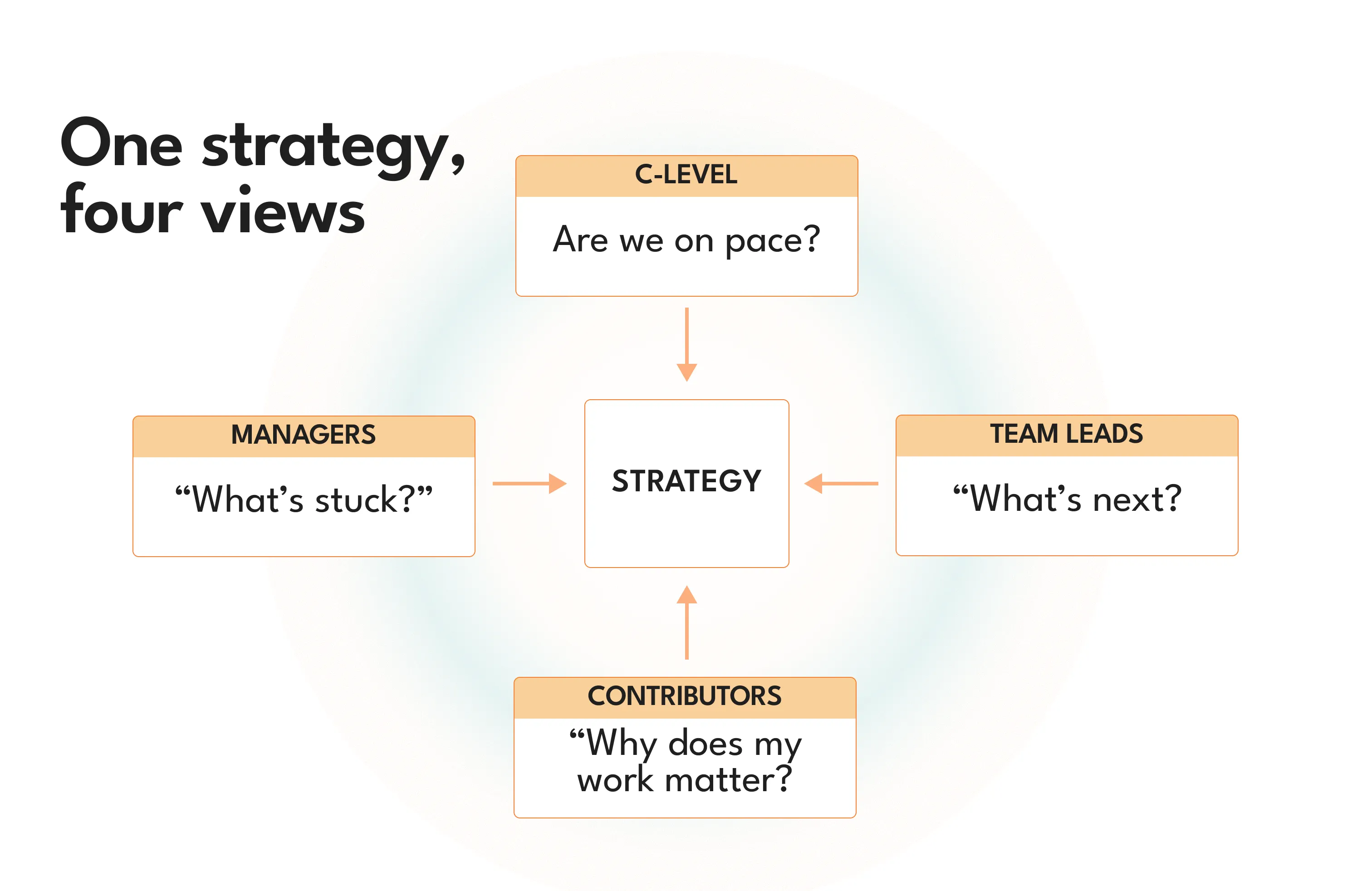
Four levels, four genuinely different jobs#
C-level: pacing, not detail. What leadership actually wants isn’t the full tree — it’s “are we roughly where we should be.” That “should be” matters more than people usually admit. Google’s own re:Work guide is explicit that for stretch-style OKRs, “the sweet spot for OKRs is somewhere in the 60-70% range” at the end of a cycle — not 100%. Scoring higher usually means the goal wasn’t ambitious enough. That reframes what “on pace” looks like halfway through a quarter too: if 70% is a strong full-quarter outcome, being around a third to just under half-way there at the midpoint isn’t behind, it’s normal. John Doerr’s own framing in Measure What Matters captures why that matters: “We want to set goals that make us stretch, but not snap.” A C-level view that shows raw percentage without that context invites false alarm at exactly the moment nothing’s actually wrong.
In Strategy Hub, this is the Portfolio board — scoped to just the top-level strategic Items, filtered from the team-level noise underneath. Paired with the Rovo agent, reachable from Rovo Chat or in-app buttons, leadership can ask “how are we tracking against Q3 strategic objectives” in plain language and get a synthesized answer, without knowing the tool’s structure or navigating anything at all. Both are available directly from the Marketplace listing.
Department and business-unit managers: not just the number, but where it’s stuck. A department head owns a narrower slice than the C-suite, but needs more depth: which of their objectives are genuinely on track, and — more importantly — where the delay actually is. “60% complete” doesn’t tell a manager anything useful; “blocked on the integration work in a sibling team” does.
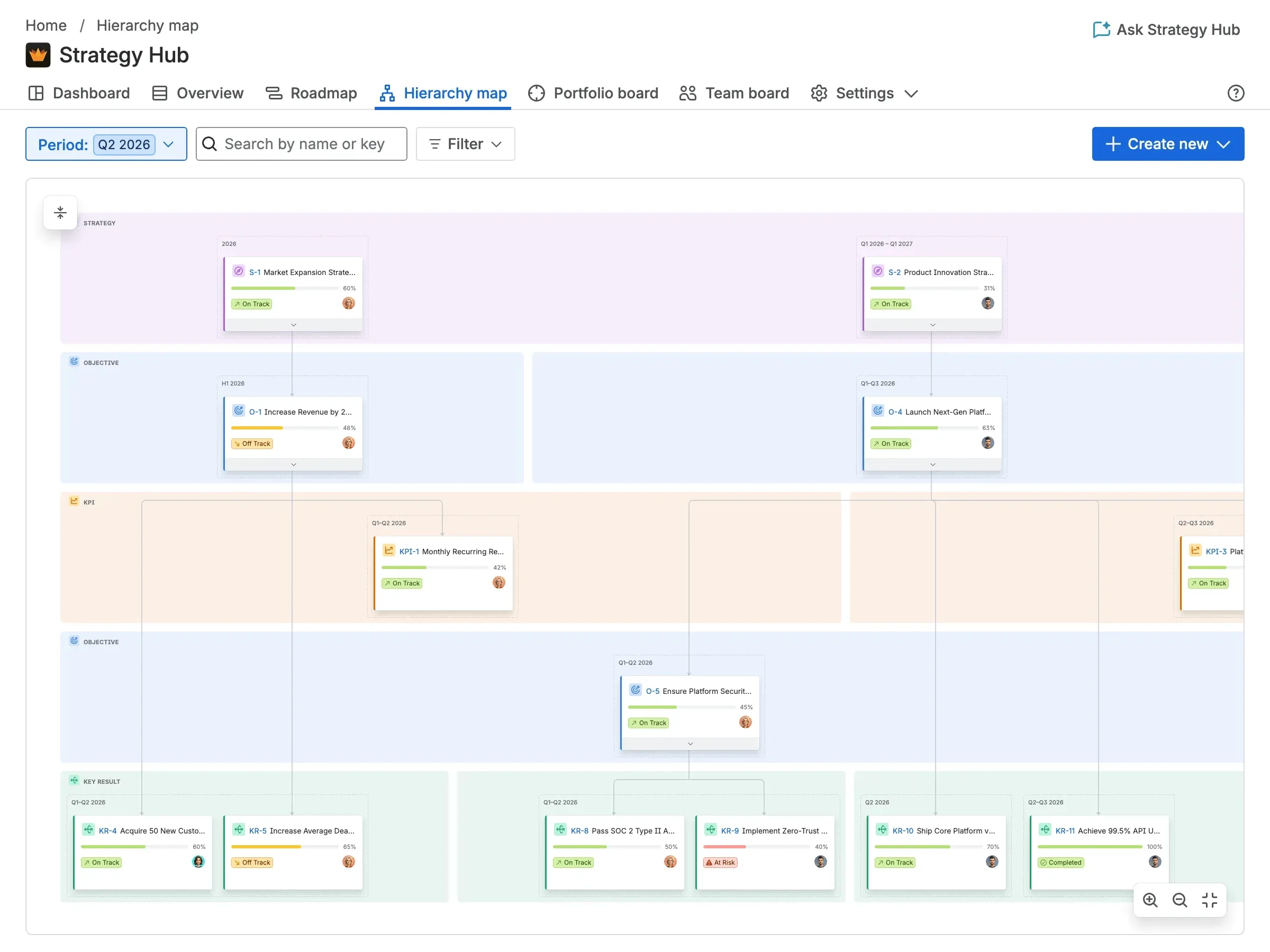
This is where a filtered Portfolio view or table scoped to their department, combined with status filtering (At Risk / Off Track), does the daily work — and a Hierarchy map should, in principle, let a manager visually trace where a branch of their own tree has stalled, the same way it helps anyone spot a broken cascade. That’s a natural extension of what the hierarchy map already does; worth confirming the exact blocker-surfacing behavior before this goes out, since I haven’t verified that specific angle directly.
Team leads and PMs: sequencing, and rollup that doesn’t need manual chasing. This is the level actually responsible for lower-level Key Results, and the job here is less about interpreting numbers and more about running the work that produces them — sequencing what’s next, and making sure the numbers update themselves rather than requiring a status meeting to extract them.
Roadmap and Team board, scoped to their team, are the day-to-day surfaces. Just as important: the weighted rollup configuration — a team lead decides up front how progress should be measured (weighted by story points or priority, say), and after that the Key Result’s progress moves as linked Jira work moves, with nobody manually updating a percentage bar. Notifications — “time to update your goal,” “someone assigned an Item to you” — help a team lead chase their own team’s updates, though it’s worth being upfront here too: those currently only surface on the Dashboard, not email, Slack, or push, so they help once someone’s already looking rather than pulling someone back in.
Individual contributors: their ticket, and what it’s actually for. Nobody doing the work wants to learn a separate strategy tool to find out why their ticket matters. They want that context exactly where they already are — inside the Jira issue itself.
Strategy Hub’s automatic weighted rollup means a contributor’s linked Jira work already feeds the relevant Key Result or KPI without anyone filing a manual update. The issue context panel is meant to surface that connection directly inside the issue view.
The role that keeps the other four honest#
None of the four views above work if nobody’s maintaining the structure underneath them. That’s a distinct, named role in OKR practice — usually called an OKR Champion, separate from an executive sponsor who backs the initiative but isn’t the one running it day to day. The Champion is operational: they set up the environment, keep the cadence moving, and make sure the automatic tracking every other role depends on is actually wired to real work.
In Strategy Hub, this role’s job gets noticeably shorter:
- The setup wizard and eight framework presets — Simple OKR, full OKR, OKR + KPI, OGSM, Hoshin Kanri, EOS, North Star, or 4DX — mean the Champion isn’t designing a structure from scratch, just picking the closest match and refining it.
- CSV import lets existing spreadsheet goals get imported directly rather than re-entered by hand.
- Sample data generation gives the Champion something concrete to show the org during rollout, before any real goals are committed.
- Every Type, Status, and level stays editable afterward — the initial pick in the wizard isn’t a permanent commitment, which lowers the stakes of just getting started.
- Permissions default to Collaborator as a sensible baseline, so the Champion isn’t starting from a blank access-control conversation.
- Notifications help enforce update cadence — with the same honest caveat as above: Dashboard-only for now, not yet a full nudge system reaching people who’ve stopped opening the app.
- Scanning the table for Items with no linked Jira issues is, today, the practical way a Champion checks that the automatic rollup every other role relies on is actually connected to real work.
Four roles, four different views of the same underlying structure — and one role whose job is making sure that structure stays trustworthy enough for the other four to actually rely on it. All of it starts from a single Marketplace install.